VisionTurn any image
Turn any image
into answers.
Upload a photo or take a screenshot, then extract its text or get a clear explanation of what is in it, from charts to handwriting.
3M+users250+AI agents40+languages
AI Sidebar is a desktop Chrome extension. Open this page on your computer to install it.
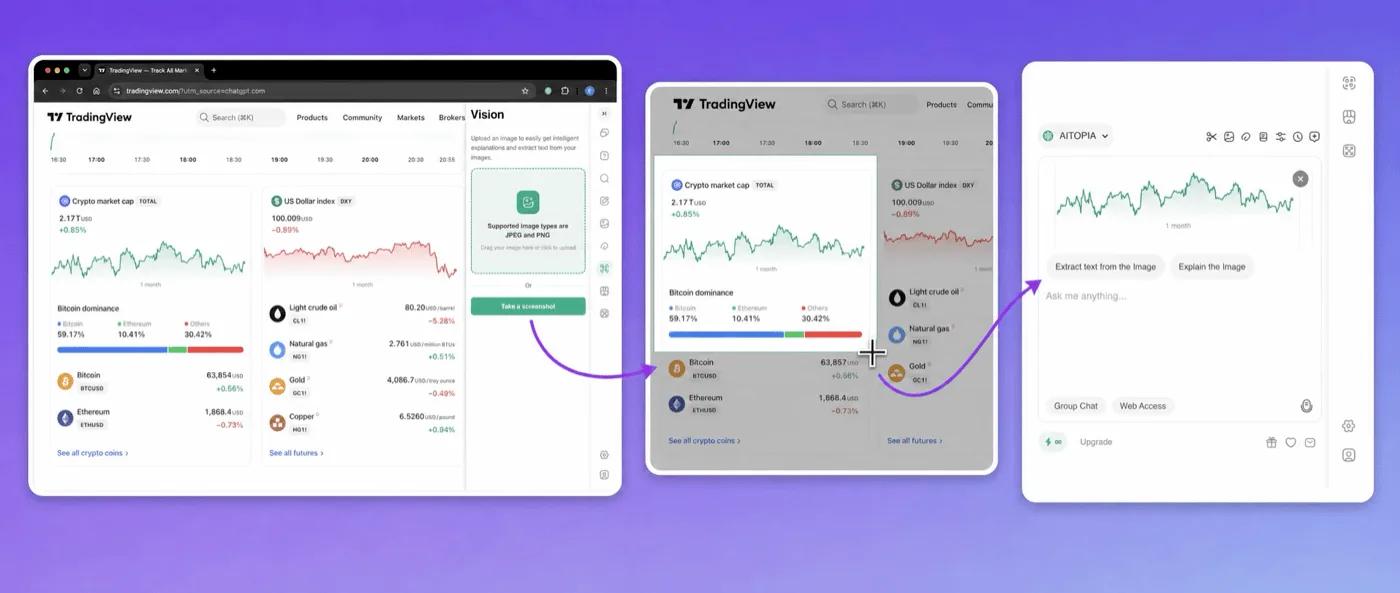
Screenshot anything on your screen
Capture any part of the page and drop it straight into AI Sidebar. No saving, no uploading.
AI tools on every image
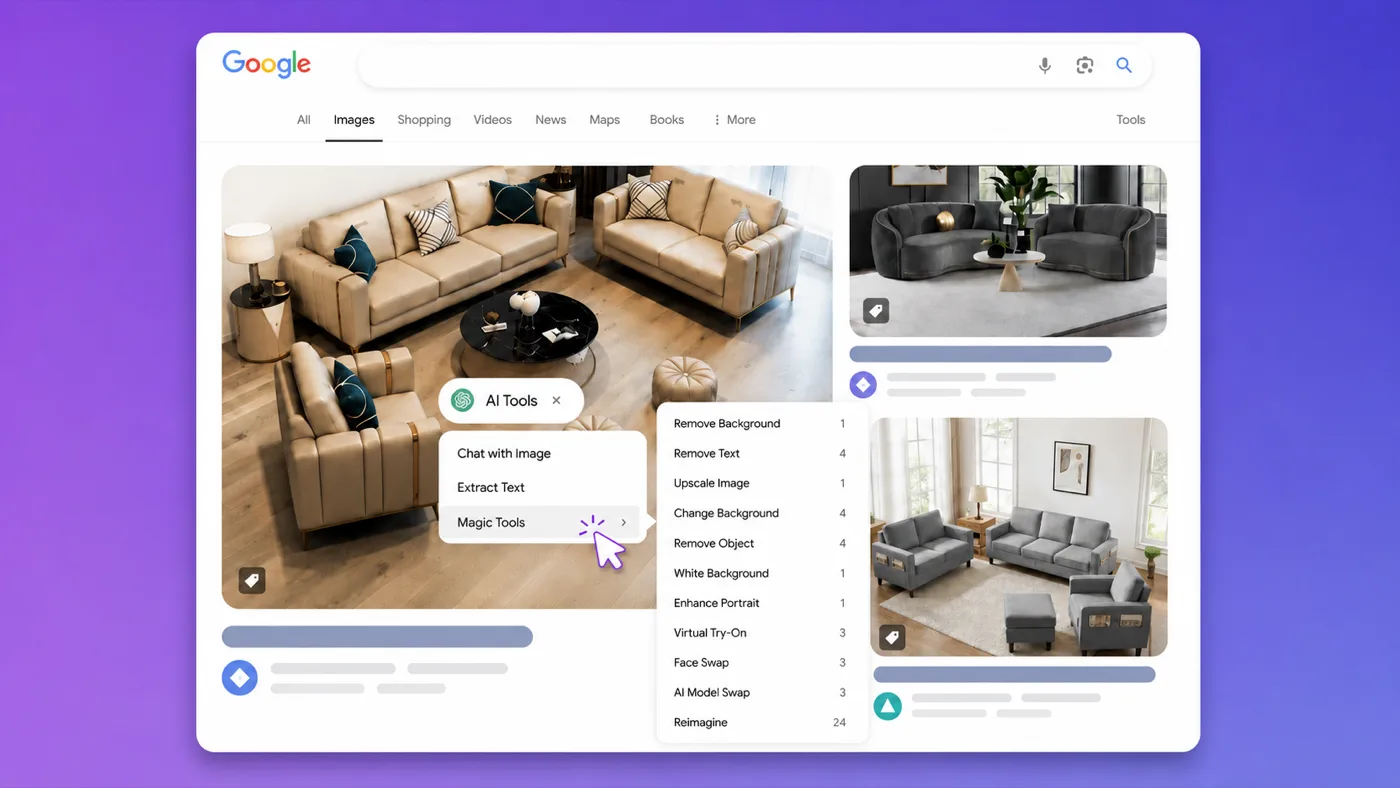
Hover over any image on the web to remove its background, upscale it, reimagine it or chat with it.
More in Vision
Extract text (OCR)Turn text in images, scans and screenshots into editable text.
Explain any imageGet a clear explanation of what an image, chart or graph shows.
JPEG and PNGWorks with the most common image formats.
Questions? Answered.
Can AI read handwriting in images?
Vision can often read handwritten text, but accuracy varies with handwriting style and image quality. Clear, high-resolution images give the best results.
Keep the best AI
one click away.
Join over three million people who chat, write and create faster with AI Sidebar.
Open this page on your computer to install.